Etsy's new AI photo rules: What print on demand sellers need to know

Tags
Interested in joining the world's leading print on demand platform?
Please note: This article reflects Etsy’s published guidance and our own testing as of 27 October 2026. Etsy may update or clarify its policies, so we recommend checking its official listing image requirements for the latest information. Our testing results are indicative and don’t constitute confirmation of compliance from Etsy.
Etsy has announced changes to its AI policy, introducing new requirements for product photography – and they’ve already sparked plenty of questions among print on demand sellers.
Sellers now need to include at least one unedited photograph of the actual product against a real background, although exceptions apply to certain products, including print on demand products.
Here’s what the new rules mean, what Etsy says about the use of mockups and what you can do to keep your Etsy listings compliant.
What is Etsy’s new AI policy for product photos?
Etsy’s latest update aims to make product listings more transparent and help buyers understand exactly what they’re purchasing.
Under the new rules:
- Real product photography: Product listings must include at least one unedited photograph of the actual item against a real background, unless an exception applies.
- AI-generated imagery: Additional listing images can be edited using AI-powered tools, including changing backgrounds and adjusting lighting, provided the finished images accurately represent the product customers will receive.
- Misleading images: Sellers must not use AI to alter a product’s appearance or create unrealistic expectations about its size, colour, materials or finish.
- Stronger enforcement: Etsy is introducing additional measures to identify and report potentially misleading AI-generated product images.
Importantly, Etsy isn’t banning AI-generated images outright. The focus is on making sure customers can trust the products they’re seeing.
Are print on demand sellers affected by Etsy’s new AI photo rules?
It depends on how you showcase your products. If you already photograph the products you sell, you don’t need to change anything. But if you rely on mockups, there are some important distinctions to understand.
The good news is that Etsy’s updated listing image requirements include an exception for print on demand products.
Etsy states: If a production partner prints your original design on a standard base product (like a t-shirt or mug), you may use a stock photo mockup, if the stock photo’s owner has authorised its use.
Authorised stock photo mockups are stock photo images provided by (or used with authorisation from) your production partner for print on demand items. You may use a stock photo mockup only if the stock photo’s owner has authorised its use. The mockup must still accurately represent what buyers receive.
Can you still use AI-generated mockups on Etsy?
Yes. Etsy hasn’t banned AI-generated product imagery outright. Its updated policy allows AI-assisted imagery as supplementary listing content, provided it accurately represents what customers will receive.
We’ve been testing the different types of product mockups Prodigi offers directly in Etsy’s listing editor, with encouraging results. None of the following triggered Etsy’s AI detection warning:
| Image type | Example | Result |
|---|---|---|
| Sample photography downloaded directly from our website | 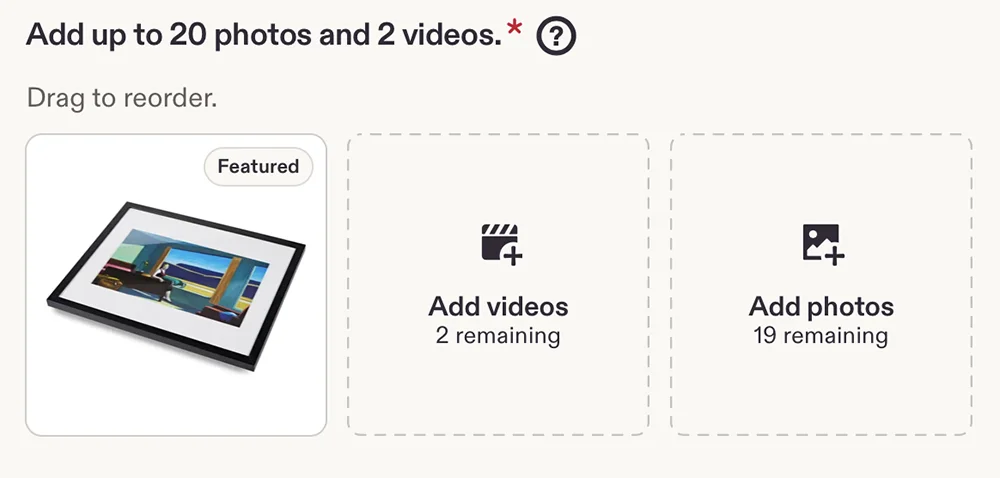 | ✓ No warning |
| Blank product assets downloaded directly from our website (both with and without artwork added in Canva) |   | ✓ No warning |
| Digitally rendered mockups generated through the Prodigi dashboard | 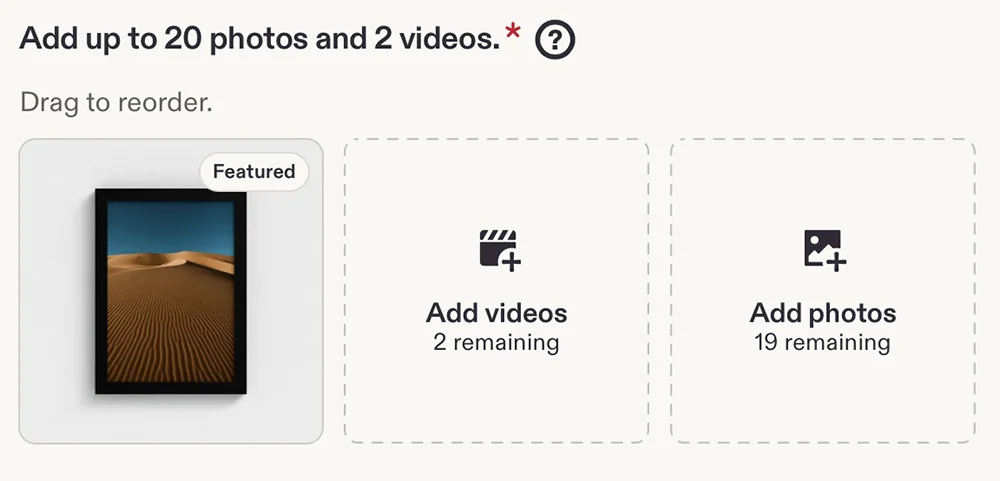 | ✓ No warning |
| AI-generated lifestyle scenes created through the Prodigi dashboard (available with a Prodigi Pro subscription) | 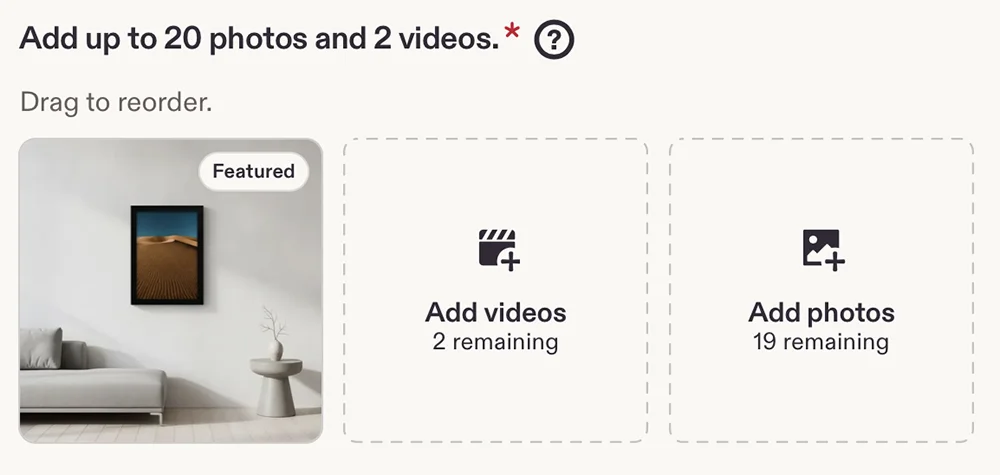 | ✓ No warning |
Interestingly, a fully AI-generated mockup created using ChatGPT did trigger the warning.
| Image type | Example | Result |
|---|---|---|
| Fully AI-generated mockup created using ChatGPT | 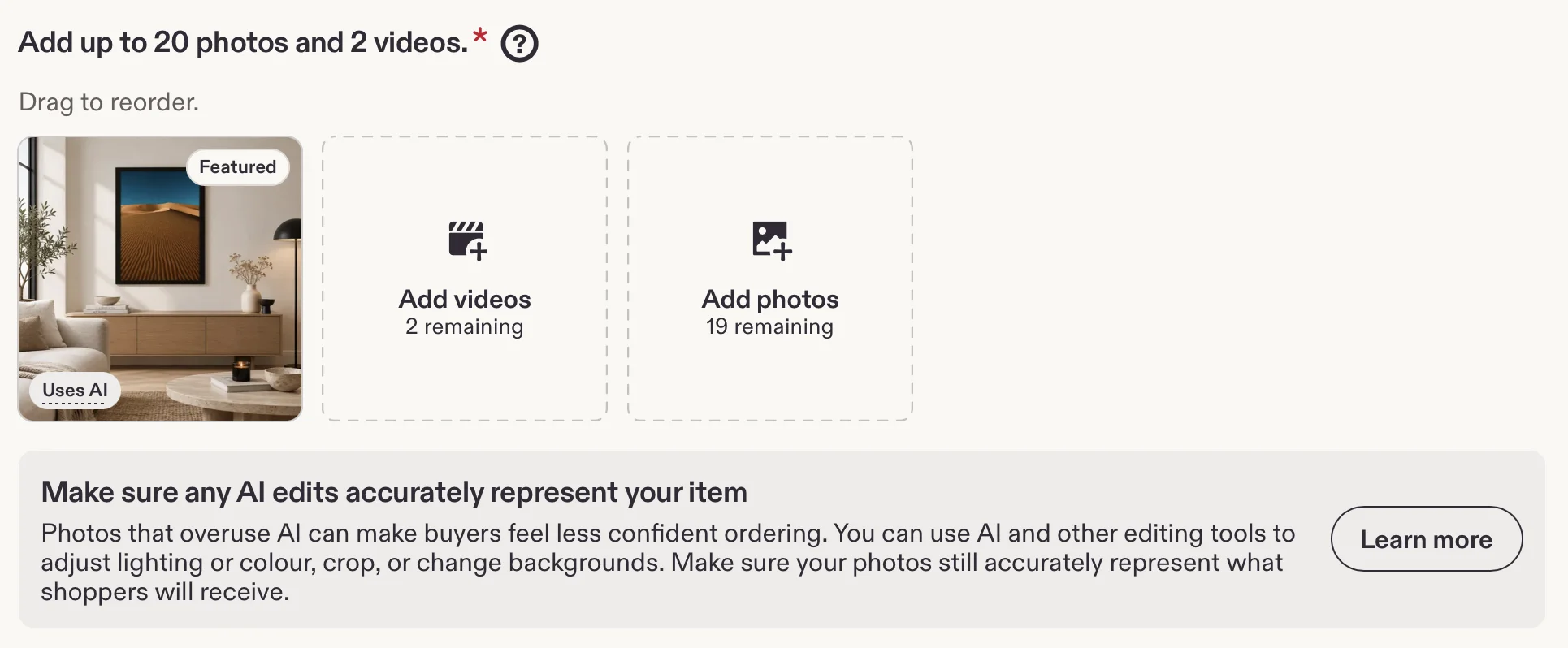 | ✗ AI warning displayed |
Etsy displayed a notice reminding us that AI-edited images must accurately represent the product, although the image wasn’t automatically rejected.
All our mockup tools are designed to represent the physical product as accurately as possible, from its proportions and materials to its overall appearance. This aligns with Etsy’s main objective: making sure customers can trust that what they see is what they’ll receive.
Want to test your own mockups? Simply start creating a new Etsy listing and upload your image. In our tests, Etsy’s AI warning appeared immediately after upload, so there’s no need to complete or publish the listing just to check.
Five ways to showcase your print on demand products on Etsy
With Etsy’s updated photo requirements in mind, it’s worth reviewing how you present your products and which types of imagery you use in your listings.
Prodigi offers five options to help you do just that, from real product photography and authorised stock photo mockups to AI-generated lifestyle scenes you can use as supplementary images.
1. Order samples and take your own photos
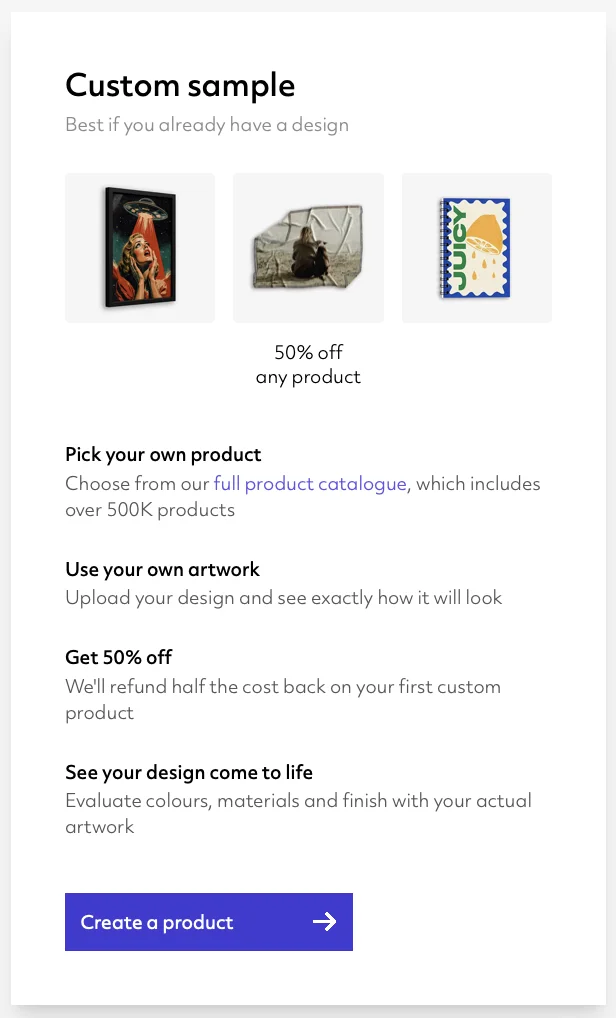
The most reliable way to show customers exactly what they’re buying is to photograph the finished product yourself.
With our product samples, you can order products featuring your own designs, check the print quality and take real photographs against real backgrounds. Better still, you’ll get 50% off your first custom product sample.
You don’t necessarily need a separate photoshoot for every listing, either. For example, you could photograph a framed print to show the frame’s construction, finish and materials, then reuse those detail shots across listings featuring the same product specifications.
As well as helping you meet Etsy’s photography requirements, original product photos can make your listings more distinctive and give customers greater confidence in what they’re buying.
2. Use our sample photography
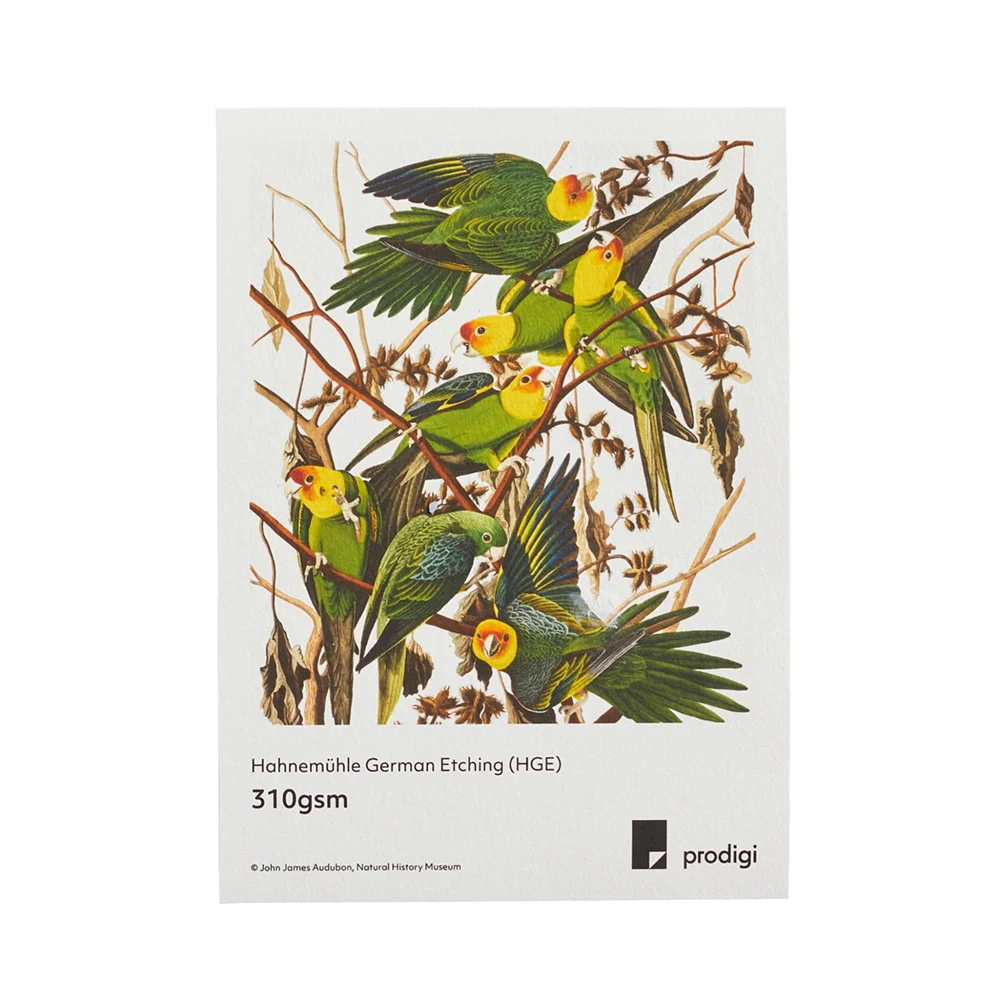
Don’t have time to arrange your own photoshoot?
We offer a selection of downloadable sample photography featuring real Prodigi products photographed with licensed designs.
These professionally photographed images are available for you to use in your own online shop, making them a useful way to showcase product quality, materials and finishes.
Can’t find sample photography for the product you want to sell? Send your requests to support@prodigi.com.
3. Create mockups using blank product assets
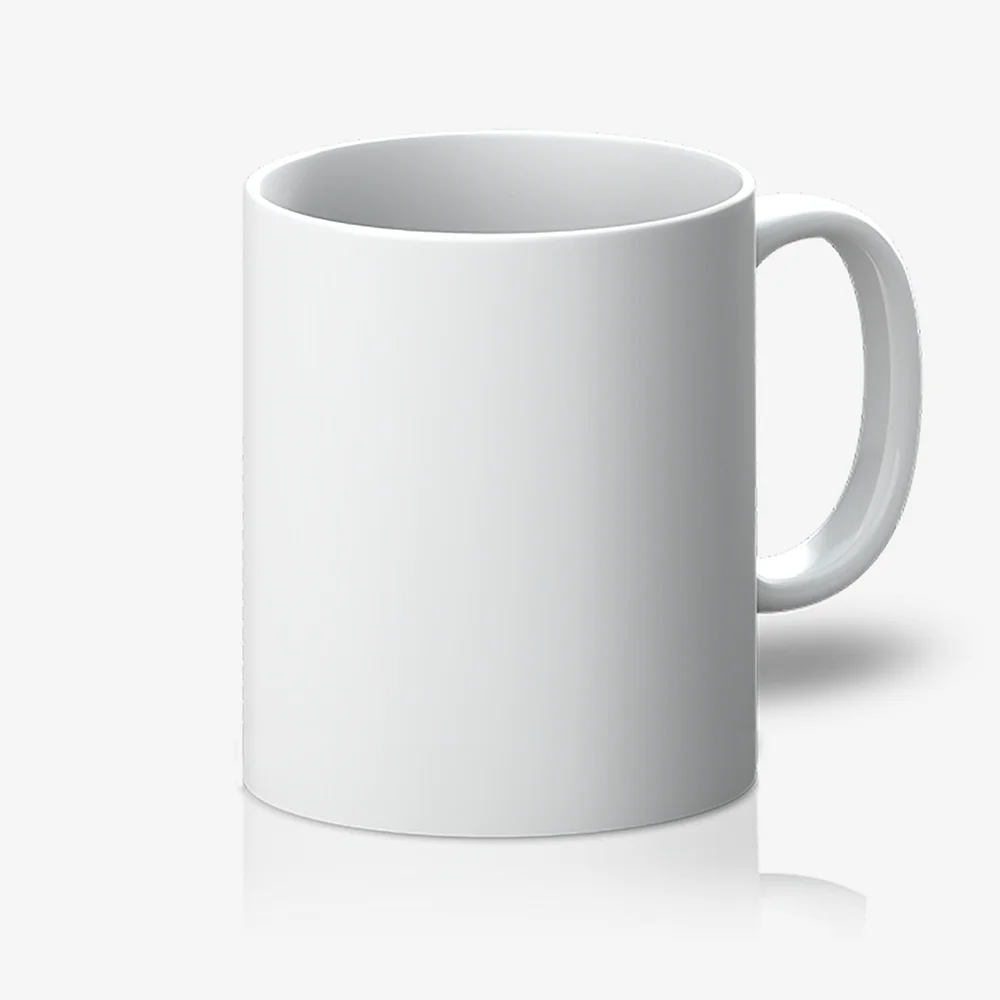
Another option is to use our blank product assets to create your own mockups.
These provide product imagery without printed artwork, allowing you to add your own designs using image editing software such as Photoshop.
While adding your artwork technically counts as editing a photograph, Etsy’s policy specifically permits authorised stock photo mockups for print on demand products.
We tested both our original blank assets and versions customised with artwork in Canva. Neither triggered Etsy’s AI detection warning, which is good news for merchants who create their own mockups this way.
Blank assets are particularly useful if you want more control over how your products are presented or need consistent imagery across a large catalogue.
Can’t find the blank asset for the product you want to sell? Send your requests to support@prodigi.com.
4. Generate digitally rendered product mockups
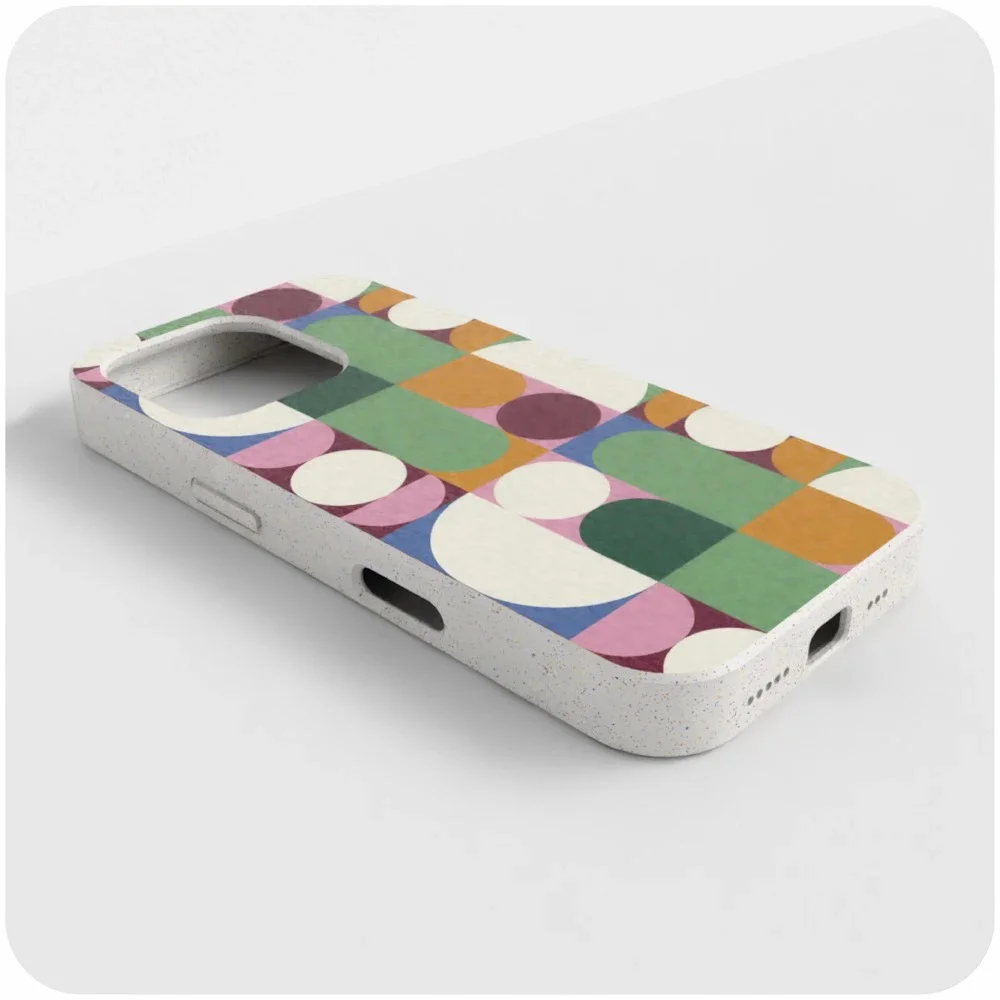
Want to create product previews without using photo editing software?
Our image editor lets you preview your designs on accurate digital representations of Prodigi products, directly from your dashboard.
You can download high-resolution images of your products from multiple angles, with each mockup designed to reflect the finished product’s appearance, proportions and specifications as closely as possible.
While Etsy’s policy doesn’t specifically mention 3D renders, its emphasis is on accurately representing the products customers will receive.
We tested our digitally rendered mockups in Etsy’s listing editor and found that they didn’t trigger an AI detection warning.
5. Supplement your main product photos with AI-generated scenes

Want to help customers imagine how your products might look in their own homes?
Prodigi Pro subscribers can take things a step further in the dashboard image editor by adding AI-generated lifestyle scenes to their digitally rendered product mockups.
Simply describe the setting you want – whether that’s a framed print hanging in a minimalist living room or a canvas displayed in a cosy bedroom – and our AI generator will create a custom background with your product placed into the scene.
They’re a great way to add variety to your listings and help customers visualise your products in different settings, provided the product itself remains an accurate representation of what they’ll receive.
Surprisingly, our AI-generated lifestyle scenes also passed through Etsy’s listing editor without triggering an AI detection warning. However, we recommend erring on the side of caution and only using these images to complement your main product photos rather than replace them.
How to prepare your Etsy print on demand listings
Etsy’s new AI photo policy doesn’t necessarily mean you need to overhaul your existing listings. But it’s worth taking a few minutes to check that your product images meet the updated requirements.
1. Review your existing listing images
Start by checking which types of images you’re using across your Etsy print on demand shop.
If you’re using real product photography or authorised stock photo mockups for print on demand products, you don’t need to change anything.
However, if your listings rely entirely on AI-generated mockups, it’s worth reviewing them more carefully. Although our tests found that our own AI mockups didn’t trigger Etsy’s AI detection warning, the AI mockups we created through ChatGPT did.
It’s worth experimenting with different mockup styles and tools to see what works for your products. As our tests show, not all AI-generated images are treated the same way, so you may find that some approaches work better than others. Just make sure your images accurately represent the products your customers will receive.
2. Make sure your images accurately represent your products
Whatever type of imagery you use, customers should be able to see what they’re actually buying.
Check that your listing images accurately reflect the finished product’s design, colours, proportions, materials and finish.
3. Check your production partner details
Etsy allows sellers to work with production partners to manufacture products featuring their original designs, but you must disclose these arrangements.
If you’re using Prodigi to fulfil your Etsy orders, make sure you’ve added us as a production partner in your Etsy shop settings and linked us to the relevant listings. You don’t have to publicly name us. Etsy lets you use a descriptive title, such as ‘Print on demand provider’, instead.
4. Keep an eye on Etsy’s latest guidance
Etsy’s new AI photo rules have raised questions about which types of mockups qualify under its print on demand exception.
We’ll continue monitoring Etsy’s guidance and share any relevant updates as and when they come in.
In the meantime, check Etsy’s official listing image requirements for the latest information before making significant changes to your shop.
FAQs: Etsy AI policy and print on demand
Is Etsy banning AI-generated product photos?
Not entirely. Listings must include at least one unedited product photograph, although exceptions apply to print on demand products.
Etsy still allows AI-powered photo editing for additional listing images, such as changing backgrounds or adjusting lighting, provided the finished images accurately represent the products being sold.
Fully AI-generated mockups are less straightforward. While Etsy may flag these images during upload, a warning doesn’t automatically mean the image is prohibited. Sellers should still ensure their main listing image meets Etsy’s requirements and that any AI-generated imagery gives customers an accurate impression of the finished product.
Do Etsy print on demand sellers need real product photos?
Not necessarily. Etsy makes an exception for print on demand sellers, allowing authorised stock photo mockups when a production partner prints your original designs onto standard base products.
This means you don’t have to order and photograph every product yourself if you don’t want to. You can use mockups supplied by your print on demand provider, provided you have permission to use them and they accurately represent the finished product.
Do I need to update my existing Etsy listings?
Etsy’s updated image requirements apply to both new and existing listings, but that doesn’t necessarily mean you need to change your product photos.
If you’re already using real product photography or authorised stock photo mockups for your print on demand products, and your images accurately represent what customers will receive, you shouldn’t need to make any changes.
However, if your listings rely heavily on AI-generated imagery, we’d recommend reviewing them against Etsy’s updated requirements. Pay particular attention to your main listing images, as these are subject to stricter rules.
Is print on demand allowed on Etsy?
Absolutely. Etsy allows sellers to offer products featuring their original designs, manufactured and fulfilled by disclosed production partners.
Can I sell AI-generated artwork on Etsy?
Yes. Etsy allows sellers to use AI to create original artwork, provided they play a meaningful creative role in the process and disclose the use of AI in their listing descriptions.
However, sellers must not misrepresent AI-generated work as entirely handmade or created without AI assistance.
What happens if Etsy detects AI-generated images in my listing?
If Etsy detects AI-generated imagery while you’re creating a listing, it will display guidance reminding you to make sure your photos accurately represent your products.
During our testing, the warning appeared as soon as we uploaded a fully AI-generated mockup created using ChatGPT. However, it’s worth noting that our own AI-generated lifestyle scenes didn’t trigger the same warning.
You can experiment yourself by starting a new Etsy listing and uploading your mockup. There’s no need to complete or publish the listing just to see whether Etsy displays an AI warning.
Remember, AI-generated images aren’t banned outright, and a warning doesn’t automatically mean your listing will be removed. Equally, an image that isn’t flagged still needs to meet Etsy’s published requirements.
Can someone report my Etsy listing for using AI-generated images?
Yes. Buyers can report listings they believe misuse AI-generated imagery.
Etsy says these reports won’t initially result in immediate enforcement action. Instead, they’ll help the platform understand how buyers perceive potentially misleading AI imagery and inform future enforcement measures.
What happens if my Etsy product photos are misleading?
If a customer receives a product that’s significantly different from what’s shown in your listing images, they may be entitled to a refund through Etsy’s case system, and you could be responsible for the cost.
Etsy may also remove misleading listings, while repeated violations could result in further action against your shop, including permanent removal from the platform.
That’s why it’s important to make sure all product images accurately represent what customers will receive.
Keep your Etsy listings accurate, attractive and compliant
Etsy’s new AI policy might sound daunting, but it doesn’t mean the end of product mockups for print on demand sellers.
Our initial testing has been encouraging, with everything from sample photography and blank assets to digitally rendered mockups and even our own AI-generated mockup scenes passing through Etsy’s listing editor without an AI warning.
Authorised stock photo mockups remain permitted for print on demand products, while AI-assisted imagery can still be used in your listings, provided it accurately represents what customers will receive.
We’ll continue testing and updating this guide as Etsy provides further clarification.
And if you’re looking to simplify the rest of your Etsy business, our print on demand Etsy integration automatically sends orders to Prodigi for printing, packing and shipping directly to your customers.
That means less time managing fulfilment and more time creating products, refining your listings and growing your shop.
Want to take your own product photos for your Etsy listings? Sign up for a free Prodigi account and get 50% off your first sample order.
Further reading
-

Print on demand: How to create an Etsy shop and what to sell in it
23 October 2020
-
Building a Brexit-proof supply chain for your dropshipping business
17 December 2020
-

Translating personal brand identity into a physical product range
14 May 2021
-

Ecommerce integrations: Shopify, Etsy, Wix, WooCommerce & more
18 July 2023